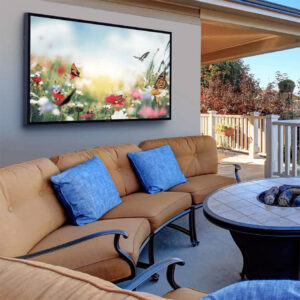
When building a new home, there are dozens of decisions to make; flooring, cabinetry, lighting, paint colors. Technology often gets treated as an afterthought.
That’s a mistake.
Pre-wiring during construction is one of the smartest investments you can make. It’s dramatically more cost-effective before drywall goes up, and it ensures your home is ready for today’s technology and tomorrow’s upgrades.
Here’s a guide to the most important areas to pre-wire when building a new home.

Top Considerations When Planning Pre-Wires
1. Networking: The Backbone of the Smart Home
If your network isn’t solid, nothing else works well.
Where to Pre-Wire
- Home office(s)
- Media rooms (Home Theater)
- TV locations
- Bedrooms
- Kitchen
- Garage
- Deck or Porch
- Ceiling locations for wireless access points
What to Run
- CAT6 or higher Ethernet cabling
- Fiber
- Conduit for future upgrades
- Structured wiring back to a central network location
Why It Matters
Hardwired connections provide:
- Faster speeds
- Lower latency
- Greater reliability
- Reduced Wi-Fi congestion
Even if you plan to use Wi-Fi, strategically placed wired access points provide far better coverage than a single router sitting in a closet.
2. Security Cameras
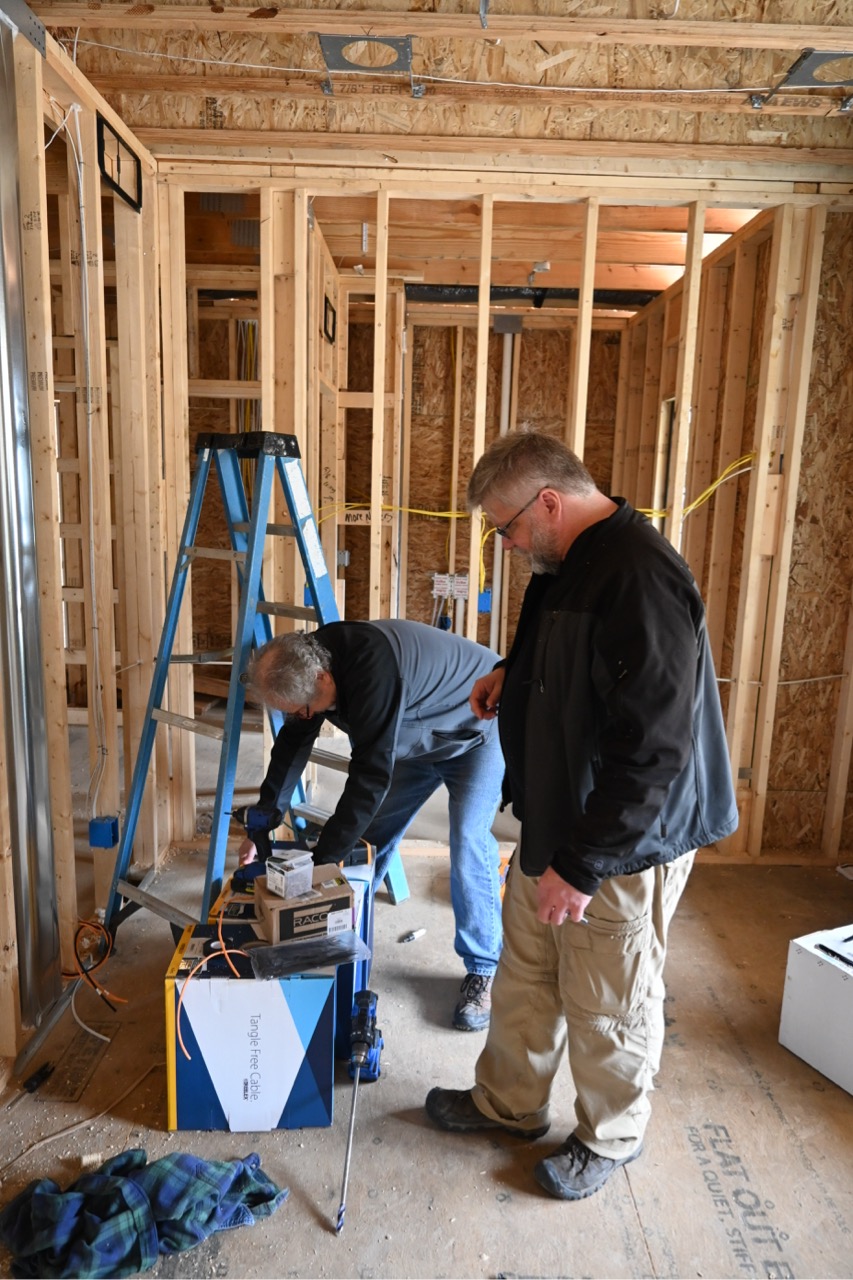
Running camera wiring after drywall is installed often requires cutting, patching, and repainting. During framing, it’s simple and clean.
Common Camera Locations
- Front door
- Driveway
- Garage exterior
- Backyard
- Side yards
- Patio areas
- Above garage doors
What to Run
- CAT6 cable for Power over Ethernet (PoE) cameras
- Why CAT6? Sometimes we can plan as much as we want but life changes and it might be easier to convert the cable to a small switch and plug the camera into that giving us more cables in the attic to run off that new switch. CAT6 allows us to keep the speeds we expect and doesn’t cost much more than CAT5e. It’s worth the extra pennies.
- Wiring routed back to a centralized equipment rack
Why Pre-Wire My Home?
- Clean installation with no exposed cables
- Better camera placement options
- Easier future upgrades to higher-resolution cameras
- Lower labor costs
Even if cameras aren’t installed immediately, having cable in place preserves flexibility.
3. Security Sensors
Smart security goes beyond cameras.
Pre-Wire For:
- Door contacts
- Window contacts
- Motion sensors
- Glass break sensors
- Garage door sensors
- Water leak sensors (kitchens, laundry rooms, mechanical rooms)
What to Run
- CAT6 cable for Power over Ethernet (PoE) sensors
- 2-conductor copper for simple sensors (typically 18/2 or 16/2 depending on distance and sensor requirements)
Hardwired sensors are typically more reliable than wireless alternatives and eliminate battery maintenance.
Planning during construction ensures proper placement and cleaner installation.
4. Smart Shades
Motorized window treatments are increasingly popular, but they require power. Many brands have battery powered options but you have to replace batteries and this creates waste and requires time.
What to Plan For
- Power wiring at window headers
- Low-voltage control wiring (depending on system)
- Centralized shade panel locations if needed
What to Run
- 4-conductor copper for control and power (typically 18/4 or 16/4 depending on distance and sensor requirements)
- CAT6 cable for Power over Ethernet (PoE) shades
Running power during framing eliminates the need for visible wiring later.
Large windows, tall glass walls, and hard-to-reach areas are especially important to plan for.
Pre-wiring ensures shades can be added now, or years down the road, without drywall damage.
5. Speakers (Indoor and Outdoor)
Audio is one of the most common upgrades homeowners wish they had planned earlier.
Indoor Speaker Locations
- Living room
- Kitchen
- Dining room
- Primary bedroom
- Walk-in closets
- Bathrooms
- Laundry room
- Family Room
- Sitting Room
- Dedicated media rooms
Outdoor Speaker Locations
- Patio
- Deck areas
- Backyard landscaping
- Pool areas
What to Run
- Speaker wire (proper gauge for distance)
- Subwoofer wiring
- Conduit for future additions
Running speaker wire during framing is significantly easier and more affordable than retrofitting later.
Even if speakers aren’t installed immediately, pre-wiring protects future options.
6. TV & Media Locations
Don’t forget:
- Ethernet
- HDMI conduit
- Electrical placement
- Audio wiring
- In-wall control wiring
- Boards between studs to make mounting easier and centered on wall
What to Run
- CAT6 for TV and streaming boxes
- HDMI
- Fiber for centralized AV distribution setups
- One Connect Cables for Samsung Frame
- Speaker wire (proper gauge for distance)
- Subwoofer wiring
- Conduit for future additions
Planning for mounted TVs avoids visible cables and ensures proper viewing heights.
7. Centralized Lighting Control
One of the most powerful upgrades to consider during construction is centralized lighting.
Instead of running individual switch legs directly to wall boxes, centralized lighting routes loads back to a lighting panel. Keypads replace traditional multi-gang switch banks.
Why Pre-Wire My Home (or Business) for Centralized Lighting?
- Clean, elegant keypads instead of multiple switches
- Simplified wall aesthetics
- Flexible scene programming
- Easier future reconfiguration
- Reduced wall clutter
- Faster support
What to Plan For
- Dedicated lighting control panels
- Proper load calculations
- Low-voltage wiring for keypads
- Space in mechanical or equipment rooms
During framing, it’s far easier to home-run lighting circuits to a panel than to reconfigure later. Once drywall is up, converting to centralized lighting becomes significantly more complex and expensive.
Planning early ensures lighting can evolve as your needs change, without opening walls.
The Cost Savings of Pre-Wiring Before Drywall
Running cables during framing is simple:
- Walls are open
- Attics and ceilings are accessible
- No drywall cutting or patching
- No paint repair
- No fishing wires blindly
After drywall, labor costs increase dramatically due to:
- Cutting access holes
- Patching and sanding
- Repainting
- Limited routing paths
- Other trades may need to be involved
Pre-wiring is typically a fraction of the cost compared to retrofitting.
Planning for the Future
Technology evolves quickly. During the design phase, it’s much easier to think ahead.
Consider:
- EV chargers
- Solar integration
- Backup generators
- Energy monitoring
- Home office expansion
- Additional outdoor entertainment
- Future camera upgrades
Adding conduit pathways during construction makes future upgrades simple.
It’s far more affordable to prepare for future needs than to retrofit later.
Centralized Equipment Location
Every smart home should have a designated technology hub.
This could be:
- A structured wiring panel
- A dedicated equipment rack
- A mechanical room with proper ventilation
Centralizing wiring keeps systems organized, scalable, and easier to service.
Why Professional Planning Matters
Pre-wiring isn’t just about pulling cable. It requires thoughtful design.
Proper planning includes:
- Determining cable types and quantities
- Avoiding electrical interference
- Planning rack space
- Ensuring proper labeling
- Accounting for network load
- Designing for both current and future systems
A professional integrator works alongside your builder and electrician to ensure technology is part of the construction plan, not an afterthought.
Build It Right the First Time
When building a home, you get one opportunity to access open framing.
That’s the time to think ahead.
Pre-wiring for networking, security, shades, speakers, and cameras:
- Saves money
- Increases flexibility
- Prevents future drywall damage
- Improves system reliability
- Protects your investment
Technology should enhance your home, not require remodeling to add later.
Planning during construction ensures your new home is ready for today and adaptable for tomorrow.
And that’s a smarter way to build.
Let’s create #ASmarterTomorrow — together.
Looking for a Construction Partner?
If you need a smart home oriented builder or contractor; we highly recommend these ones!